TALK TIMER
Talk Timer プレゼンタイマー
Feel how much of your talk is left, on your wrist.
A timer for presentations and talks on Pixel Watch and other Wear OS smartwatches. It runs on the watch alone, so you never need to reach for your phone on stage. Even without looking, count the buzzes and you know where you are. Free, with no ads.
SCREENS
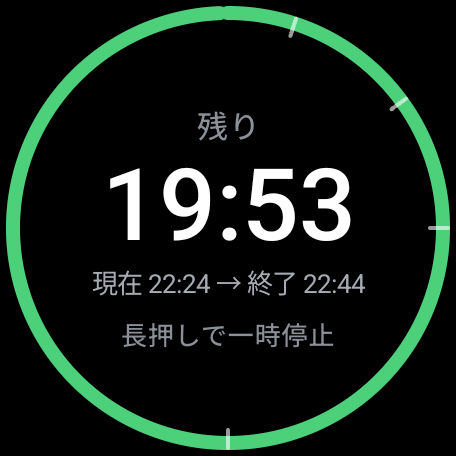
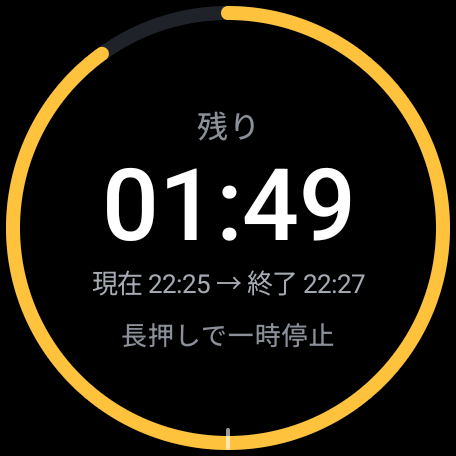
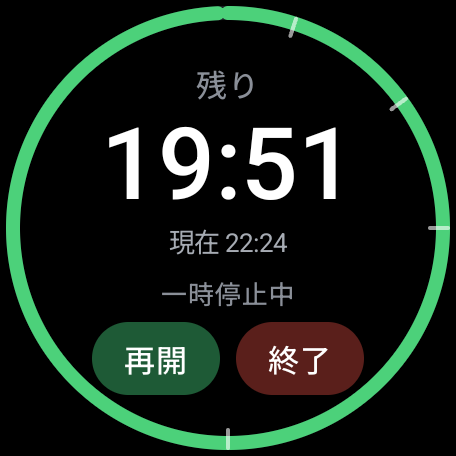
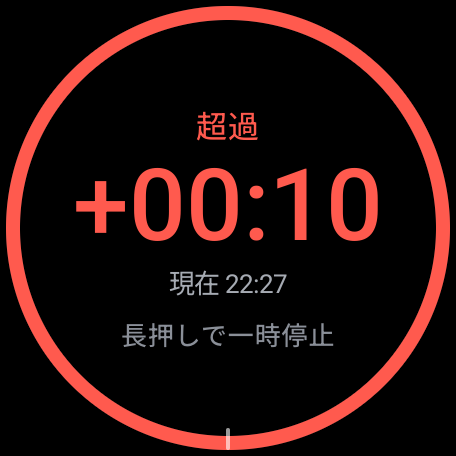
Screens shown in Japanese. The app also comes in English, Korean and Simplified Chinese.
HOW IT WORKS
- Set the length
Turn the crown or tap − and + to pick 1 to 180 minutes. - Tap to start
Then focus on your talk. You can also start with one tap from the tile. - Feel the time left
Your wrist buzzes at set moments, right on time even with the screen off.
VIBRATION
- Halfway, 10 min left, 5 min left: 1 short buzz
- 3 min left: 2 short buzzes
- 1 min left: 3 short buzzes
- Time’s up: 1 long buzz
- Over time: 1 long buzz every minute
Only alerts after the halfway point are used. A 60-minute talk buzzes at 30, 10, 5, 3 and 1 minutes left; a 20-minute talk at 10, 5, 3 and 1. Vibration strength can be set to light, normal or strong.
FEATURES
- Readable at a glance. Big remaining time and a ring that turns yellow at 3 minutes left and red at 1. The end time is shown too, like “Now 2:07 PM → Ends 2:32 PM”.
- Screen stays on while timing. Turn your wrist and see the seconds any time. Switch it off in settings to save battery.
- Hard to stop by accident. While timing, press and hold to pause, so a brush of your sleeve won’t stop it (you can switch back to tap in settings).
- Easy to stop after the talk. Pausing shows Resume and Finish. Even if the watch has gone back to the watch face, Finish on the tile stops the timer.
- Complication. Show the time left on your favourite watch face.
- No data collected. Settings and timer state are stored on the watch only and never sent anywhere.
REQUIREMENTS
- A smartwatch with Wear OS 3 or later (tested on Pixel Watch).
- Runs on the watch alone; no phone app needed.
- Available in English, 日本語, 한국어 and 简体中文.
FAQ
Does it buzz with the screen off?
Yes. Alerts are scheduled as alarms on the watch, so they fire on time with the screen off or the app closed.
How much battery does it use?
With “keep screen on while timing” turned on, the screen uses battery while it is on. For long talks, turn it off in settings; the dimmed screen then shows the time left in whole minutes.
Can I change the length during a talk?
The length can only be changed before starting. To change it mid-talk, pause, tap Finish and set it again.
Does it work on iPhone or Apple Watch?
No. It is for Wear OS smartwatches only.