KITAYO
Kitayo きたよ
POST to a URL, get a notification on your Android phone.
Kitayo gives you your own webhook URLs and turns whatever arrives there into a push notification. No account needed. Free, with no ads or in-app purchases. It also works as a replacement for LINE Notify, which shut down in March 2025. The app is in Japanese only for now.
HOW IT WORKS
- Create a hook in the app
Give it a name and you get a URL likehttps://kitayo.moonlightfield.dev/h/…. - POST to that URL
JSON, form data, or plain text all work. - Get notified
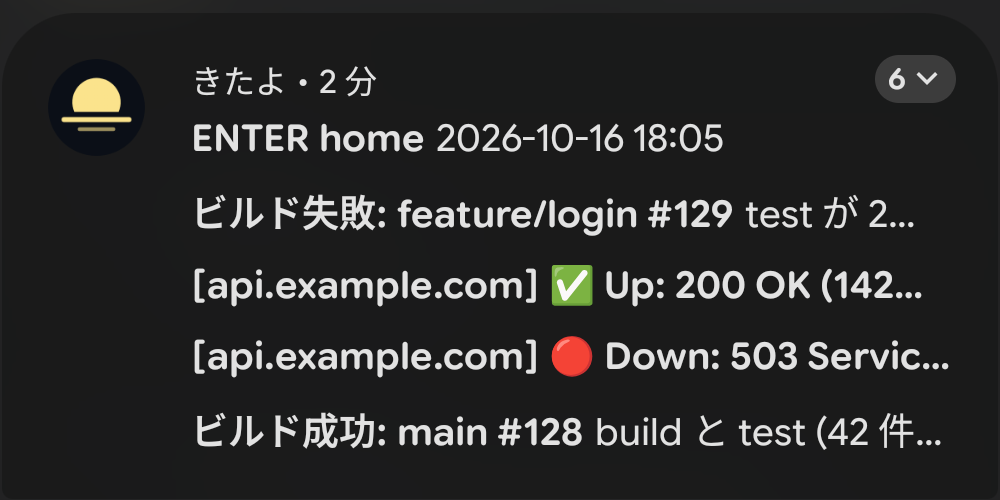
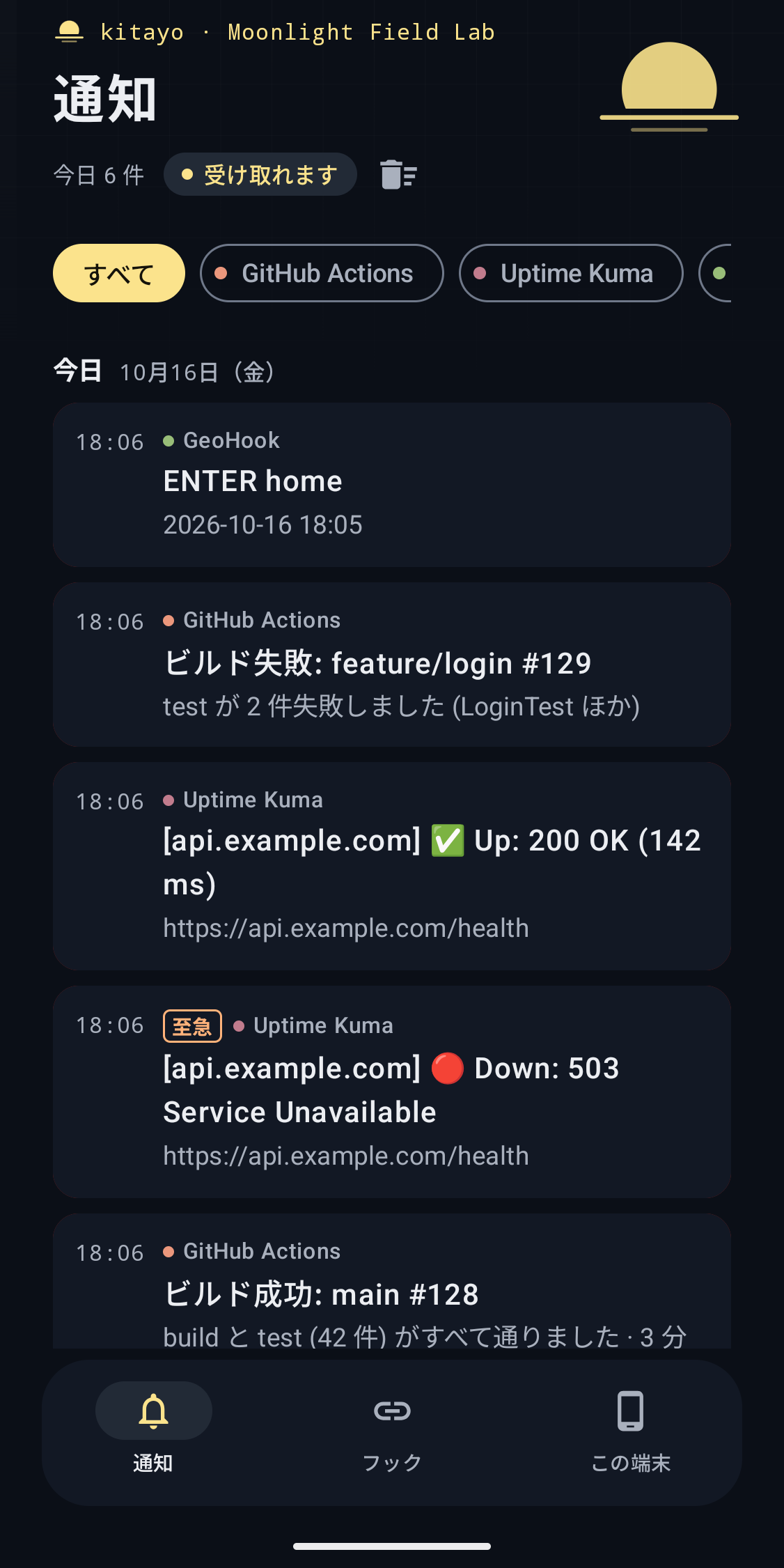
Tap the notification to read the full message. If it includes a URL, “Open” takes you there.
SCREENS
EXAMPLES
These examples assume KITAYO_URL holds the hook URL you copied from the app.
Send JSON with curl
curl -X POST "$KITAYO_URL" \
  -H 'content-type: application/json' \
  -d '{"title":"Build finished","body":"main #123 OK","url":"https://example.com/build/123"}'
Know when a long job is done
# Notifies you either way when it finishes
./backup.sh \
  && curl -fsS "$KITAYO_URL" --data-urlencode 'title=Backup done' \
  || curl -fsS "$KITAYO_URL" --data-urlencode 'title=Backup failed'
Send command output as is
df -h / | curl -fsS "$KITAYO_URL" -H 'content-type: text/plain' --data-binary @-Get GitHub Actions job results
# Add KITAYO_URL to the repository secrets first
- name: Notify Kitayo
  if: always()
  run: |
    curl -fsS "${{ secrets.KITAYO_URL }}" \
      --data-urlencode "title=${{ github.workflow }}: ${{ job.status }}" \
      --data-urlencode "body=${{ github.repository }} (${{ github.ref_name }})" \
      --data-urlencode "url=${{ github.server_url }}/${{ github.repository }}/actions/runs/${{ github.run_id }}"
Switch from LINE Notify
Just change the URL. The message field becomes the notification text, and no Authorization header is needed.
# Before (LINE Notify)
curl -X POST https://notify-api.line.me/api/notify \
  -H "Authorization: Bearer $LINE_TOKEN" -F 'message=Backup done'

# Kitayo
curl -fsS "$KITAYO_URL" --data-urlencode 'message=Backup done'
-F (multipart/form-data) is not supported; use --data-urlencode or JSON instead. Code such as Python’s requests.post(url, data={...}) or Google Apps Script’s UrlFetchApp.fetch with an object payload works as is once you change the URL.
Receive webhooks from other services
Paste the URL wherever a monitoring or automation tool asks for a webhook. Kitayo picks up fields such as title, message and url from the JSON it receives, and shows the formatted JSON when none are found.
To change what you see, set a template such as {{event}} {{name}} on the hook. Query parameters like ?title=…&body=… take priority over everything else.
FEATURES
- No account. The app creates an anonymous identity for your device the first time you open it.
- Unguessable URLs. Each URL contains a 32-character token. If one leaks, regenerate it in the app.
- Separate notifications per hook. Change sound and importance for each hook in Android’s notification settings.
- Urgent hooks. Hooks marked urgent are delivered at high priority, even when the screen is off.
- 30 days of history. Look back at what arrived, and delete items one by one or all at once.
LIMITS
- Android 10 or later. iPhone is not supported.
- Up to 20 hooks and 500 messages a day per device, and 60 requests a minute per hook.
- Message bodies up to 10 KB.
- Messages are kept on the server for 30 days. Don’t send passwords or other secrets.
FAQ
Is it really free?
Yes. There are no ads and no in-app purchases.
Can it replace LINE Notify?
Yes for the “POST to a URL, get notified yourself” use. The difference is that messages arrive in the Kitayo app instead of LINE. In most scripts you only need to change the URL (see the examples).
Group notifications and receiving on iPhone or PC are not supported.
What if someone else learns my URL?
Anything they send to it will reach your phone. Regenerate the hook’s URL in the app, or turn the hook off. The old URL stops working right away.
What happens when I change phones?
Hooks belong to a device, so create new hooks on the new phone and update the URLs in your senders.
Notifications aren’t arriving. What should I check?
Try a test send from the hook screen in the app. If that doesn’t arrive, make sure notifications for Kitayo are allowed in Android settings and that battery optimization isn’t stopping it.
How is my data handled?
It is used only to deliver notifications and keep your history, and is deleted after 30 days. It is never shared with third parties. See the privacy policy (Japanese) for details.